기사 듣기:
한눈에 보기
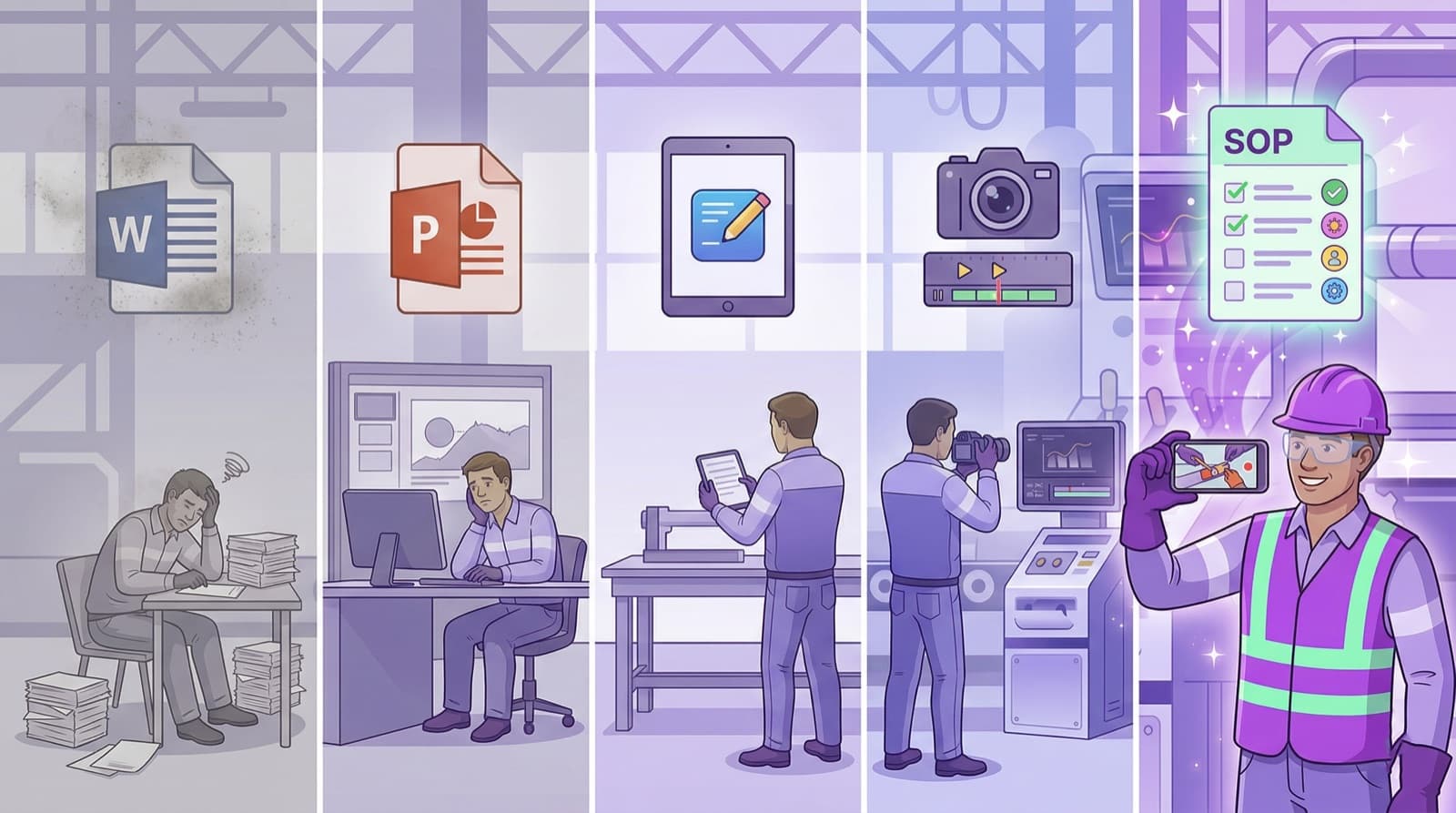
- 1.The traditional Word method needs 6–8 hours per work instruction. AI-powered Video-to-SOP cuts that to 10 minutes at higher quality.
- 2.Screen recording tools only fit digital processes. For physical industrial processes (assembly, maintenance, LOTO) they are unusable.
- 3.Video-to-SOP combines the speed of automatic authoring with audit compliance under ISO 9001, IATF 16949, and ISO 45001.
- 4.Different methods can be combined: screen recording for IT processes, Video-to-SOP for physical ones.
Writing a work instruction in Word takes 6–8 hours. With AI video it takes 10 minutes. Five methods compared head to head — by time, audit fitness, and real-world value.
A work instruction describes how a specific task or process is to be carried out correctly. In industry, work instructions are not optional — they are required by ISO 9001, ISO 45001, IATF 16949, and many other standards. The question is not whether to write them, but how fast and how well. This article compares the five most common methods — from the classic Word template to AI-powered Video-to-SOP technology.
Method 1: Microsoft Word / PowerPoint (traditional)
A QA engineer observes the process, takes notes, snaps photos on a camera, walks back to the office, opens Word, and writes the instruction. Images are inserted, formatted, corrected. The document is emailed for approval.
Time required: 6–8 hours per work instruction. No extra software, everyone knows Word. But extremely time-consuming, images age fast, no version control, no QR code access. Suitable for companies with fewer than 10 work instructions that are rarely updated.
Method 2: Content management systems (digital tools)
Specialized software provides templates and editors for writing work instructions. The QA engineer writes in a web-based editor, uploads images, defines steps, and publishes.
Time required: 3–5 hours per work instruction. Better structure than Word, version control, digital access, and integrations are possible. Still written manually, though — the QA engineer has to phrase every step and place every image by hand. Suitable for companies willing to invest in a dedicated system and with the staff capacity for manual authoring.
Method 3: Screen recording tools (digital processes only)
The operator starts the tool, clicks through a software process, and every click is recorded. A step-by-step guide is generated automatically. Time required: 5–15 minutes. Very fast for software processes, automatic screenshots. But it only works for screen-based processes. A rolling mill stand change, a cleanroom gowning routine, or a LOTO procedure cannot be recorded on a screen. For physical industrial processes it is entirely unsuitable.
Method 4: Manual video documentation
The process is filmed, the video is edited, annotated with text and arrows, and published as a training video. Time required: 4–12 hours (filming, editing, post-production). Visually rich and shows the real process. But the output is a video, not a structured work instruction. A video is not audit-compliant — auditors demand written, versioned documents. No QR code access, no revision history. Good for marketing and general training, not a substitute for work instructions.
Method 5: AI-powered Video-to-SOP
The most experienced operator demonstrates the process while a colleague films on a smartphone and narrates the steps (5 minutes). The AI analyzes video and audio and automatically generates a complete work instruction with step-by-step images, safety notes, quality checks, and escalation plan. Faces are anonymized automatically.
Time required: 10 minutes (5 min filming + 2 min AI + 3 min review). 97% faster than Word, audit-compliant, visual with real images from the process, QR code access at the machine, automatic face blurring, approval workflow, and revision history.
Suitable for every manufacturer, every hospital, every warehouse — anywhere people run physical processes.
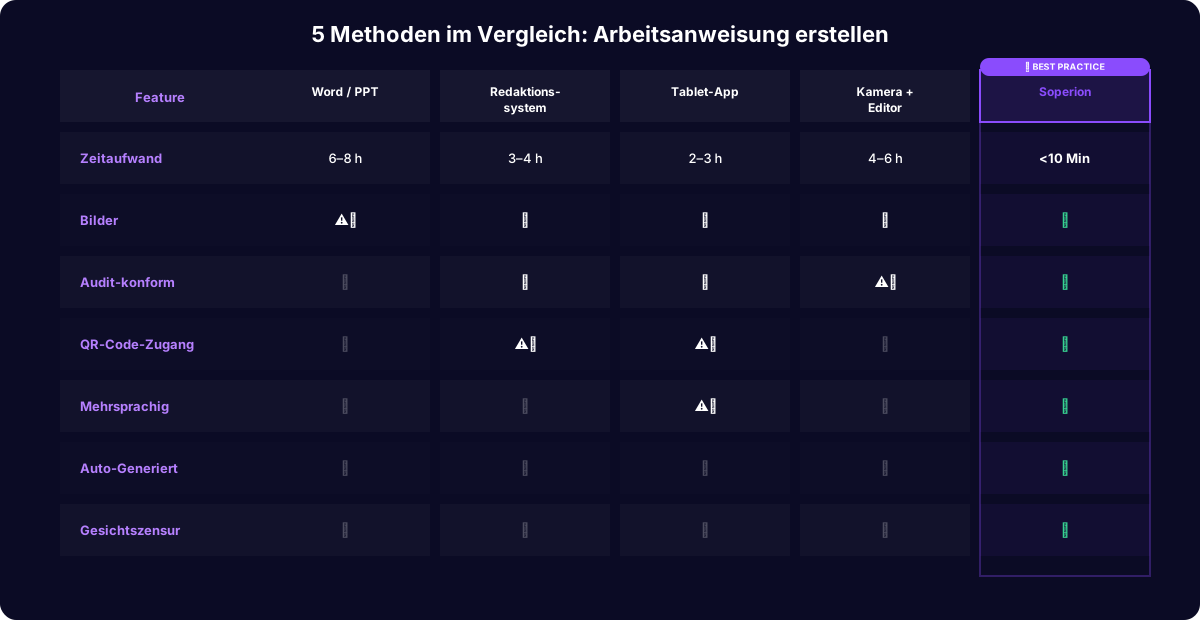
| Method | Time required | Strengths | Weaknesses |
|---|---|---|---|
| Word / PowerPoint | 6–8 hrs | No extra software, everyone knows Word | Extremely time-consuming, no version control, no QR code access |
| Content management system | 3–5 hrs | Better structure, version control, digital access | Every step is still authored manually |
| Screen recording | 5–15 min | Very fast for software processes, automatic screenshots | Screen-based processes only — unusable for physical work |
| Manual video documentation | 4–12 hrs | Visually rich, shows the real process | A video instead of a structured instruction, not audit-compliant |
| Video-to-SOP (AI) | 10 min | Audit-compliant, real process images, QR code access, face blurring | — |
자주 묻는 질문
- Which method is best for industry?
- For physical processes in manufacturing, maintenance, logistics, and healthcare, Video-to-SOP is the most efficient option. It combines the speed of screen recording with the audit compliance of a content system.
- Can you combine different methods?
- Many companies use screen recording for IT processes and Video-to-SOP for physical ones. The methods complement rather than replace each other.
- How do you move from Word to Video-to-SOP?
- Existing Word SOPs do not need to be migrated. New processes are documented with Video-to-SOP from day one; existing ones are updated with a video at the next revision. Within 12 months every SOP is modernized.
- What does it cost to create a work instruction?
- With Word: 6–8 hours of labor per document. With content systems: 3–5 hours plus license fees. With Video-to-SOP: 10 minutes end-to-end per work instruction.